
MinoSSH
A native SSH client for macOS. A real terminal and an SFTP browser in one window — type a command, drag a file up, fix a permission, and keep your place when the connection drops.
- Requires macOS 13 Ventura or later
- Apple silicon and Intel
- English & Simplified Chinese
- No account, no ads, no telemetry
Last login: Sat Oct 17 09:41:07 on ttys002
deploy@web-01:~$ ls -la /var/www/app
total 48
drwxr-xr-x   8 deploy  staff   256 Oct 17 09:38 .
drwxr-xr-x   4 root    wheel   128 Oct 12 18:02 ..
-rw-r--r--   1 deploy  staff  1842 Oct 17 09:12 .env
drwxr-xr-x  12 deploy  staff   384 Oct 16 21:44 current
deploy@web-01:~$ tail -f /var/log/nginx/error.log
2026/10/17 09:44:02 [warn] 1187#0: upstream response is buffered
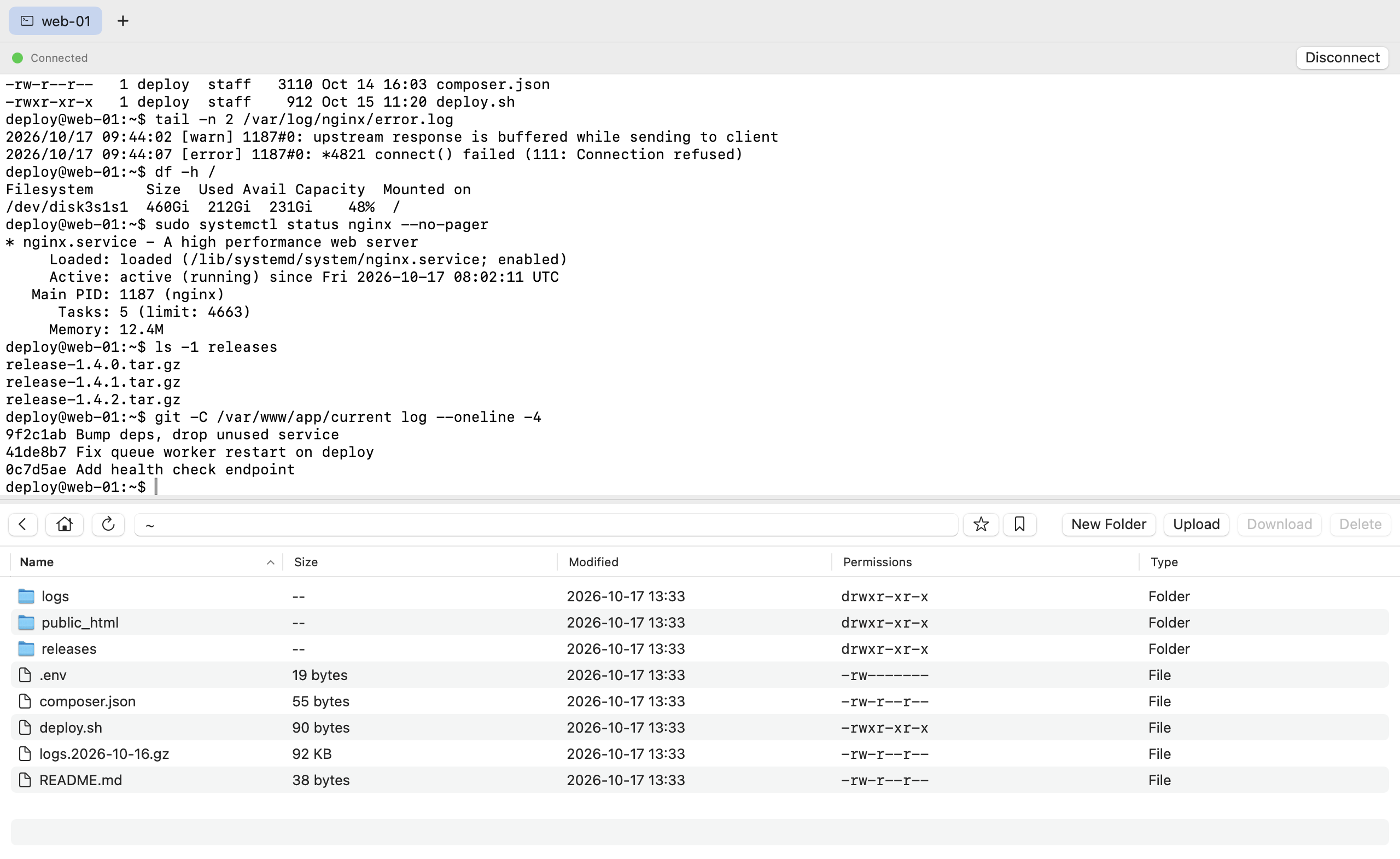
One window, both halves of the job
Most SSH work is half typing and half moving files. MinoSSH keeps the terminal and the file browser in the same session, stacked, with a divider you can drag.
Built around the way you actually work
No dashboards, no agents to install, no cloud in the middle. Just your Mac, the OpenSSH that already ships with it, and the server on the other end.
A terminal that behaves
A real pseudo-terminal, not a text field pretending. Colour, cursor keys,
vim, top, less — and the window tells the
server its exact column and row count when you resize.
SFTP without leaving the session
Browse the remote filesystem under the terminal. Double-click to step into a folder, drag in to upload, and use the path bar or your saved bookmarks to jump around.
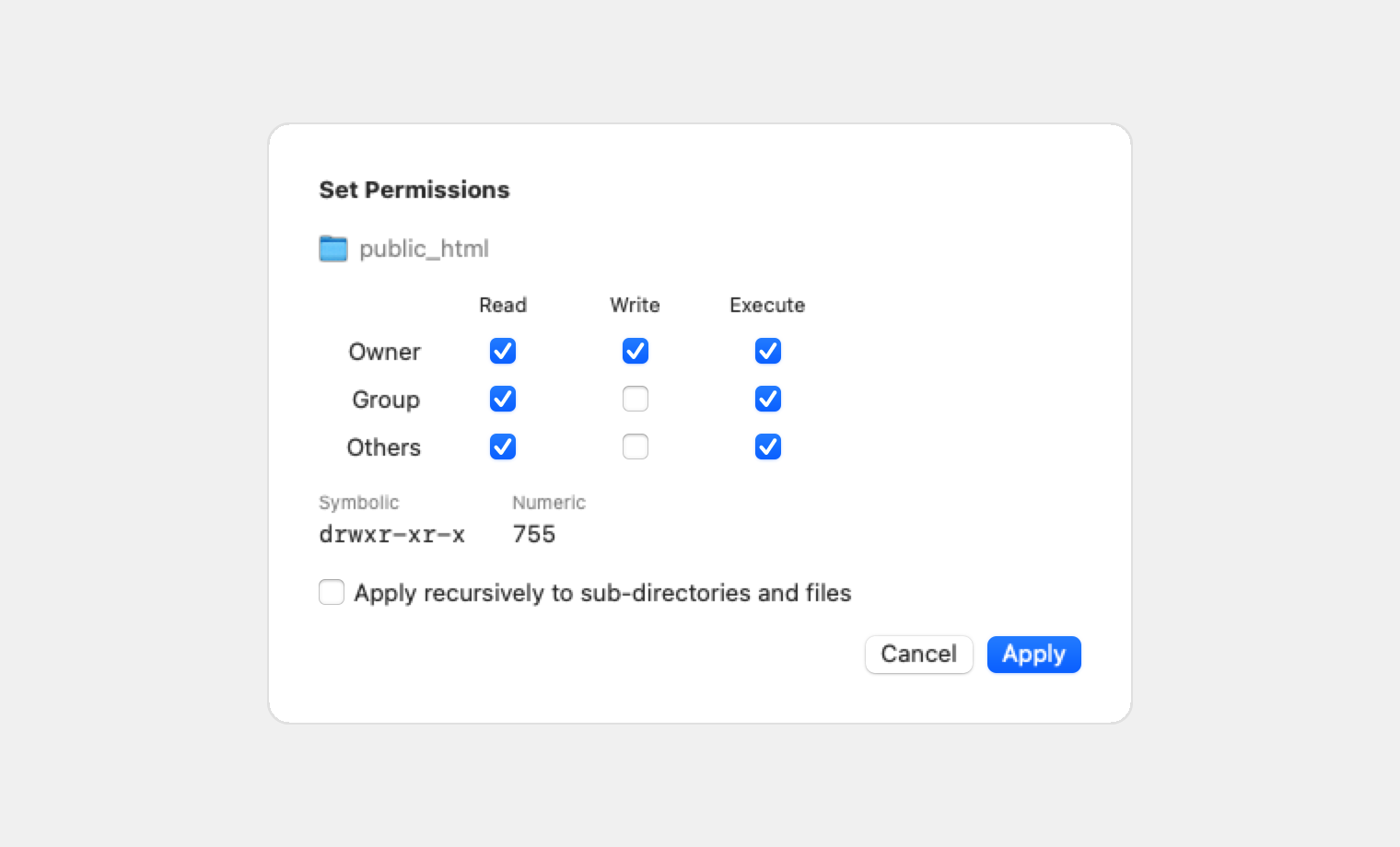
Permissions, explained and editable
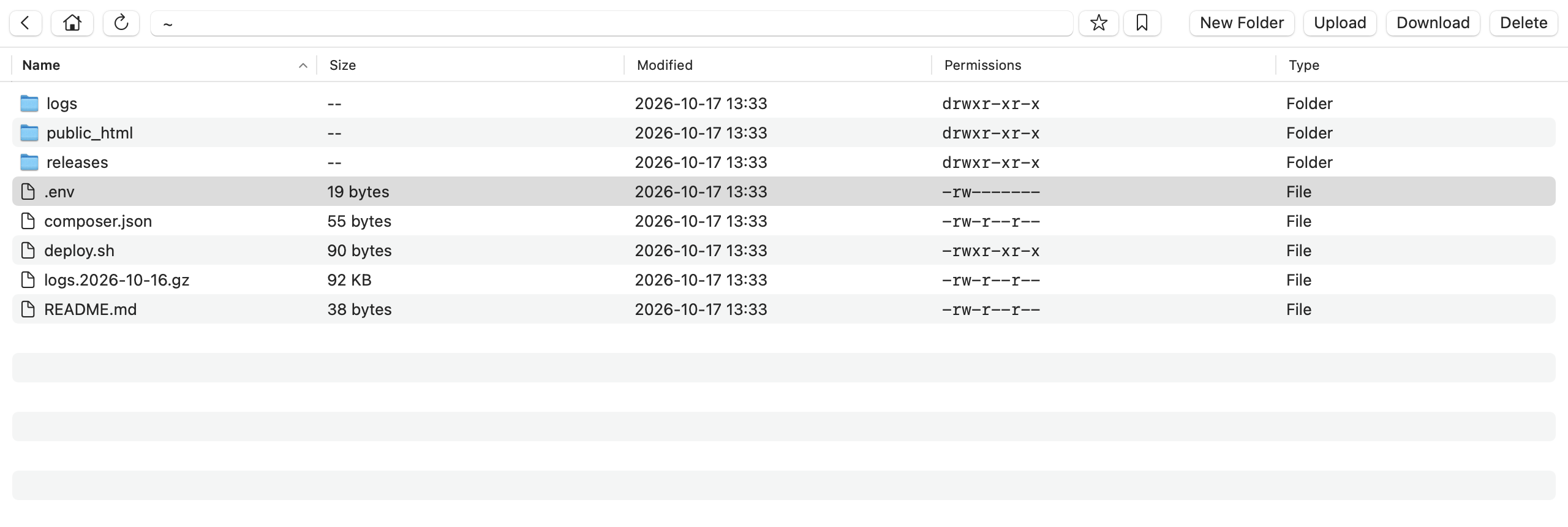
A permissions column in the file list. Right-click to set read, write and execute
for owner, group and others, with -R for folders — instead of
guessing at chmod 755.
Multi-select and batch actions
⌘-click and ⇧-click work the way they do in Finder. Download or delete a whole selection in one go, with a confirmation before anything is removed.
One tab per server
Every connection gets its own tab and keeps its own session. Switch away and the SSH process stays alive — terminal history and browsing position come back with it.
Folders open quickly
A single multiplexed connection is established up front and reused for the terminal, the file list and every transfer, so listing a directory does not pay for a new handshake each time.
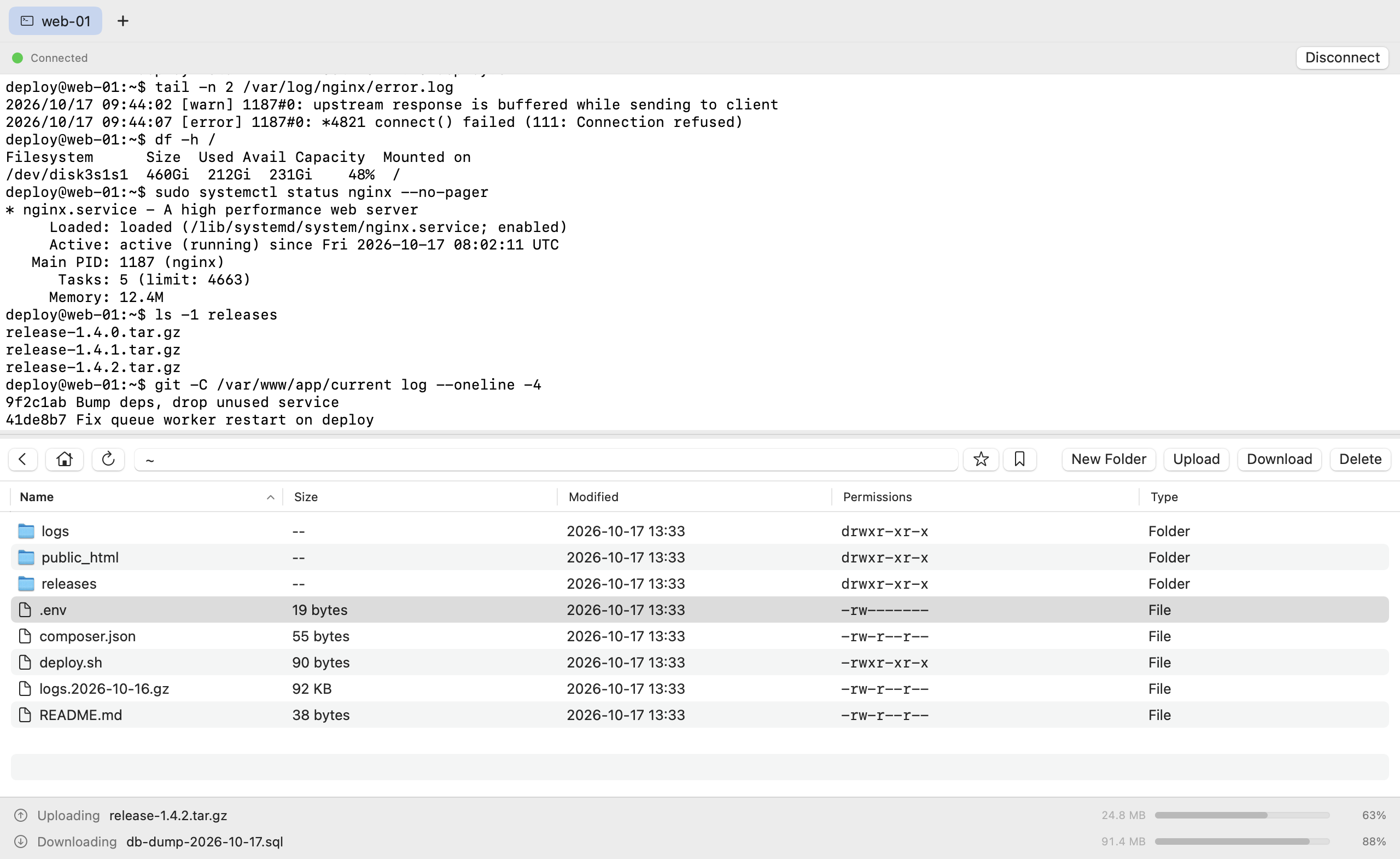
Transfers you can watch
Progress, speed and time remaining in a bar along the bottom of the window. When something fails, the reason is shown instead of a silent empty list.
Disconnects handled honestly
When a session ends, the file browser greys out instead of pretending to work, and the terminal stops showing a cursor. Reconnect when you are ready — it will not dial back on its own behind your back.
It uses the OpenSSH you already have
MinoSSH does not ship its own cryptography. It drives the
ssh and scp binaries that come with macOS.
-
Your config, your keys, your agent.
~/.ssh/configis honoured, key files are read in place, andssh-agentforwarding is a per-site switch. Nothing is copied into the app. -
Host keys go into your
known_hosts. A host you have never connected to is accepted and pinned automatically; once pinned, a changed key is refused — the protection against a man-in-the-middle stays in place. - Passwords are asked for, then forgotten — or saved if you insist. The prompt has a “save to site” checkbox. Leave it off and the password lives only in memory for that session.
- Nothing else phones home. No analytics, no crash upload, no update pings. The only network traffic is to the servers you type in. See the Privacy Policy.
Requirements
| System | macOS 13 Ventura or later (13.0+) |
|---|---|
| Hardware | Any Mac with Apple silicon or an Intel processor |
| Protocols | SSH (shell sessions) and SFTP (file transfer), password or key authentication. FTP and FTPS are not supported. |
| Languages | English, Simplified Chinese |
| Server | You connect to your own servers — MinoSSH does not include hosting. |
Questions, or something not working?
Email us and we'll get back to you. Your macOS version, the server's SSH banner and the exact error text make most problems quick to solve.